

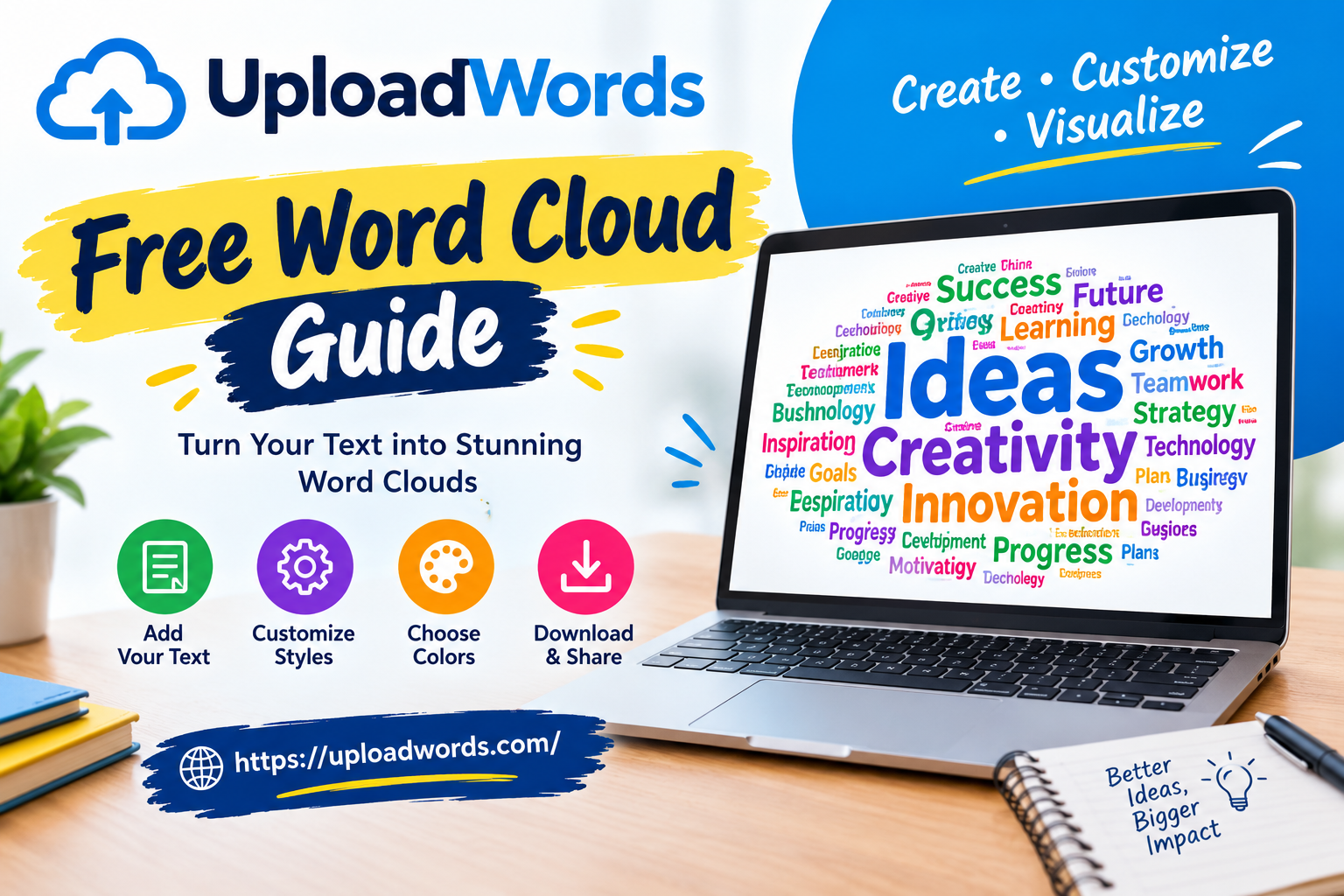
When a piece of writing becomes long, it can be surprisingly difficult to see which words dominate the page. You may know the main subject, but repeated terms, filler language, or unexpected phrases can remain hidden during a normal read. A visual word cloud offers a quick way to spot those patterns.
That is where the uploadwords free word cloud search comes in. UploadWords is presented as a browser-based text-analysis tool that can examine written content and return useful information such as word count, character count, frequently used keywords, and a visual word cloud. The service is designed to provide these results without requiring users to build a complicated workflow.
For students, bloggers, marketers, teachers, researchers, and everyday writers in the United States, a tool like this can be useful when the goal is not simply to count words but to understand the vocabulary inside a document.
What Is UploadWords?
UploadWords is an online text-analysis utility focused on basic measurements and visual representation of written content.
Instead of opening a full writing application, a user can place text into the tool and examine several aspects of that text. Current descriptions of the service identify four main functions:
- Word counting
- Character counting
- Keyword-frequency analysis
- Word-cloud generation
The platform is positioned as a free tool that does not require an account for its core functions. It is therefore particularly convenient for people who need a quick analysis rather than a complete writing suite.
The name can sometimes be misleading. UploadWords is not primarily a cloud-storage or file-transfer service. Its purpose is to analyze words and display information about text.
What Is a Free Word Cloud?
A word cloud is a visual representation of words used within a piece of text.
Imagine taking a 2,000-word article and turning every repeated term into part of a graphic. Words that occur frequently are normally displayed more prominently, while less common words appear smaller.
For example, a fictional article about American travel might repeatedly use terms such as:
- Travel
- Hotels
- Cities
- Flights
- Family
- Vacation
A word cloud could make those recurring concepts immediately visible.
This is useful because human readers naturally focus on sentences and paragraphs. A word cloud removes much of that structure and exposes the vocabulary underneath it.
Instead, it is another way of looking at the same content.
For example, when researching fashion topics such as On Cloud shoes and their role in American fashion, a word cloud can help identify the terms and themes that appear most frequently in the content.
How UploadWords Can Help Writers
Writers often know what they intended to say, but they do not always notice what their draft actually emphasizes.
Suppose you write a 3,000-word article about healthy eating. You may believe the article is balanced between nutrition, exercise, meal planning, and lifestyle. After analyzing the text, however, you might discover that one word appears dramatically more often than everything else.
That can be a useful editing signal.
A word cloud can help you ask:
- Am I repeating one term too much?
- Is the main topic clearly represented?
- Are unnecessary words dominating the text?
- Does the vocabulary match the subject?
- Are related concepts represented?
- Does the article feel focused?
These questions can lead to better editing decisions.
UploadWords for SEO Content
SEO writers can also use word-frequency analysis as part of their editing process.
That does not mean a word cloud can tell you whether an article will rank on Google. Search rankings depend on many factors, including relevance, search intent, content quality, technical SEO, links, site reputation, and other signals.
However, frequency analysis can still provide a useful editorial check.
For example, if a writer is preparing an article about hiking boots, they might expect related terms such as:
- Hiking
- Boots
- Trails
- Comfort
- Outdoor
- Fit
- Grip
- Waterproof
If the draft repeats one keyword excessively, the writer can reconsider the wording.
The goal should be natural language rather than artificially increasing keyword frequency.
A word cloud can therefore function as a content-review tool, not as an SEO ranking predictor.
Checking Keyword Repetition
One of the most practical uses of text analysis is identifying repetition.
Writers frequently repeat words without realizing it. This happens especially when a topic has a very specific vocabulary.
For instance, an article about smartphones might repeatedly use:
“phone,” “phone,” “phone,” “phone.”
The repetition may be technically correct, but the article can become monotonous.
Looking at keyword frequency can encourage the writer to consider contextually appropriate alternatives such as:
- Smartphone
- Device
- Handset
- Mobile
- Model
- Product
The replacements should always make sense. Using random synonyms simply to reduce repetition can make writing worse.
Good editing balances clarity with variety.
Word Clouds for Students
Students can find word clouds useful for both writing and presentations.
Consider a college student preparing a report on climate policy. After completing the paper, a word cloud might reveal which concepts dominate the document.
A student could use the result to ask whether the paper reflects the assignment properly.
Word clouds can also be used during classroom activities. A teacher might ask students to submit short responses about a novel, historical event, scientific concept, or social topic and then turn the collected vocabulary into a visual representation.
This can make discussions more interactive.
However, students should remember that frequency does not equal importance. A common word may appear many times simply because it is grammatically necessary.
Using a Word Cloud for Research
Researchers sometimes work with large quantities of text, including interviews, survey responses, notes, and written feedback.
A word cloud can provide a fast first impression.
For example, imagine collecting hundreds of customer comments about a restaurant. A visual analysis might reveal recurring terms such as:
- Service
- Food
- Staff
- Price
- Quality
- Location
That could help researchers identify themes worth investigating further.
The important limitation is context.
A word cloud cannot explain why customers used those words. It cannot automatically determine whether “price” was mentioned positively or negatively. It simply reveals that the term appeared frequently.
More detailed qualitative research is needed to understand meaning.
Character Count Is Useful Too
Although the word cloud may be the most visually interesting feature, character counting can be equally practical.
A character count can help when writing material with strict length limitations.
Examples include:
- Social media posts
- Short advertisements
- Titles
- Descriptions
- Forms
- Application responses
- Marketing copy
- Certain online fields
Words and characters are not the same measurement.
A sentence containing relatively few words can still contain many characters. That is why both measurements can be useful when preparing content for a specific platform.
Word Count for Articles and Assignments
Word count remains one of the simplest reasons people use online text-analysis tools.
A student may need to submit an essay within a specified range. A freelance writer may have been asked for a 1,500-word article. A publisher may require a particular minimum length.
Instead of estimating the size of the document, a word-count tool can provide an immediate number.
UploadWords combines this basic measurement with keyword information and visual analysis, allowing users to learn more about their text in the same workflow.
One caution is worth remembering: different applications can sometimes count unusual constructions differently. Hyphenated terms, numbers, abbreviations, and other elements may produce slightly different results between systems.
For an important academic or professional submission, always follow the counting rules provided by the organization receiving the document.
Understanding Stop Words
Natural language contains many extremely common words.
Examples include:
- The
- And
- Of
- To
- In
- Is
- For
These words can overwhelm a basic frequency analysis because they appear in ordinary sentences so often.
That is why text-analysis tools commonly provide ways to remove or filter stop words.
UploadWords descriptions mention options for removing common stop words and setting a minimum word length. These controls can make the resulting keyword analysis more meaningful.
For example, removing very common short words can make a word cloud emphasize subject-specific vocabulary instead of ordinary grammar.
Setting a Minimum Word Length
A minimum word-length filter can also improve a word cloud.
Very short words often contribute little to understanding a document’s subject. Filtering them can leave more meaningful terms visible.
For example, a cloud containing hundreds of tiny two-letter words may not tell you much.
A filtered cloud containing terms such as “marketing,” “customer,” “content,” “business,” and “strategy” provides a much clearer impression of the document.
The best setting depends on the material being analyzed.
Can UploadWords Improve Writing?
It can support the editing process, but it cannot replace a human editor.
A word-frequency tool does not understand everything that makes writing effective.
It generally cannot determine whether:
- An argument is persuasive
- A fact is accurate
- A sentence sounds natural
- A joke works
- A paragraph has good flow
- A claim needs evidence
- A story creates emotion
- A conclusion is convincing
These require human judgment.
The best approach is to use UploadWords as one small part of a larger writing workflow.
A Simple Workflow for Bloggers
Bloggers can create a straightforward editing routine.
Step 1: Finish the Draft
Do not obsess over the word cloud while writing every sentence.
Finish the first version before analyzing it.
Step 2: Analyze the Text
Place the completed draft into the text-analysis tool and examine the available statistics.
Step 3: Look at Frequent Words
Identify unusually repetitive terms.
Step 4: Review the Word Cloud
Ask whether the visual emphasis matches the article’s intended subject.
Step 5: Edit Naturally
Remove unnecessary repetition and improve weak sections.
Step 6: Read the Article Again
The final decision should always come from reading the actual content.
This workflow prevents the word cloud from becoming the goal. The goal remains better writing.
Creating Visual Content
Word clouds can also have a presentation purpose.
A downloadable image can be useful in:
- Classroom presentations
- Marketing meetings
- Reports
- Blog graphics
- Research presentations
- Brainstorming sessions
- Training materials
Current descriptions of UploadWords say its generated word cloud can be downloaded as a PNG image.
The graphic can provide a quick visual summary when a full block of text would be difficult for an audience to scan.
UploadWords for Businesses
Businesses produce a surprising amount of written material.
Examples include:
- Customer feedback
- Product descriptions
- Reports
- Internal announcements
- Marketing campaigns
- Survey responses
- Meeting notes
- Blog posts
- Website copy
A lightweight text-analysis tool can help employees quickly identify patterns in this material.
For example, a marketing team could analyze customer feedback and discover that several product-related terms repeatedly appear.
That does not automatically explain the customers’ opinions, but it can point the team toward topics that deserve deeper investigation.
What UploadWords Does Not Do
It is important not to expect too much from a simple word cloud tool.
UploadWords should not be confused with a complete SEO platform, grammar checker, plagiarism detector, or AI writing assistant.
It can help with text measurements and word-frequency patterns, but it does not replace specialized software for tasks such as:
- Grammar correction
- Comprehensive SEO auditing
- Search-volume research
- Backlink analysis
- Fact-checking
- Plagiarism detection
- Advanced readability evaluation
Third-party descriptions similarly characterize it as a lightweight text-analysis utility rather than a complete SEO or writing platform.
Is UploadWords Free?
Yes. Current descriptions of UploadWords present the core service as free and available without requiring a subscription or account.
That makes it useful for occasional users who do not want to install software or commit to a paid writing platform.
A person who only needs to analyze an essay, blog article, report, or short document can use a browser-based tool without building a complicated setup.
Is UploadWords Easy to Use?
One of its biggest advantages is simplicity.
The general workflow is straightforward:
- Open the tool.
- Paste your text or use the supported input method.
- Run the analysis.
- Review word and character counts.
- Examine frequent terms.
- Look at the word cloud.
- Edit your content if necessary.
There is little reason to learn a complicated interface when the goal is simply to understand the vocabulary inside a document.
Privacy Considerations
Privacy should always be considered when using an online text-analysis service.
Current descriptions characterize UploadWords as privacy-focused and describe text analysis as taking place in the browser. However, anyone handling confidential business documents, unpublished research, private communications, or sensitive personal information should review the service’s current privacy documentation before entering that material.
A useful general rule is simple:
Do not paste sensitive information into an online tool unless you understand how that service handles the data.
For ordinary public blog drafts or non-sensitive writing, the risk profile may be considerably lower, but responsible users should still check current policies.
Why Visual Analysis Matters
Numbers can tell you how often a word appears.
A visual can make that information easier to understand.
If one word towers over every other term in a word cloud, you immediately notice it. If your supposedly central topic barely appears, that can also become obvious.
This is particularly helpful when reviewing longer documents.
Humans are very good at recognizing visual patterns, and a word cloud takes advantage of that ability.
Still, visual impact should not be mistaken for analytical depth.
A large word is simply a frequent word.
Its importance depends on context.
Common Mistakes When Using Word Clouds
There are several mistakes users should avoid.
Mistake 1: Treating Frequency as Importance
A word may be common because it is grammatically necessary.
That does not necessarily make it the central idea.
Mistake 2: Chasing a Perfect Shape
A word cloud is not a writing competition.
Do not rewrite good content simply to make the graphic look balanced.
Mistake 3: Stuffing Keywords
SEO writers should never repeatedly insert a keyword simply to make it larger in the cloud.
Natural language is more valuable than artificial repetition.
Mistake 4: Ignoring Context
A word cloud cannot show whether a statement is positive, negative, sarcastic, conditional, or factual.
Always return to the original text.
Mistake 5: Using It as a Complete SEO Tool
Keyword frequency is only one small piece of SEO.
Ranking requires much broader analysis.
UploadWords vs. Traditional Word Counters
A traditional word counter mainly answers one question:
How much text is here?
UploadWords can go beyond that basic measurement by combining word count with character count, keyword frequency, and a visual representation.
That makes it more useful when the writer wants to understand the composition of the text rather than simply measure its length.
For someone checking an essay before submission, a traditional counter may be enough.
For someone editing a blog post or analyzing a document, the additional information can be more useful.
Who Should Use UploadWords?
The tool can be useful for a broad range of people.
Students
For essays, assignments, presentations, and classroom exercises.
Bloggers
For checking article length and repeated vocabulary.
SEO Writers
For a quick review of keyword usage and topical language.
Teachers
For classroom word-cloud activities and text exercises.
Marketers
For reviewing campaign copy, customer responses, and reports.
Researchers
For an initial visual examination of larger collections of text.
Business Professionals
For quickly reviewing reports and written communications.
Its value comes largely from being simple enough that none of these groups need advanced technical knowledge.
Final Thoughts
The uploadwords free word cloud concept is useful because it turns ordinary text into something easier to inspect.
Instead of looking only at paragraphs, users can examine word count, character count, frequent terms, and a visual representation of the vocabulary. Current descriptions position UploadWords as a free, browser-based tool aimed at quick text analysis without the need for an account.
For writers and content creators, its biggest benefit may not actually be the word cloud itself. The more valuable feature is the ability to step back from a draft and see its language from another perspective.
Use the results as clues.
If one word dominates, investigate why. If an important concept barely appears, consider whether the article needs more depth. If the cloud looks exactly as expected, that can provide a quick confirmation that the vocabulary broadly matches the subject.
The most effective workflow is therefore simple: write first, analyze second, edit third, and use human judgment throughout.
A word cloud can reveal patterns, but the writer is still responsible for deciding what those patterns mean.
Frequently Asked Questions
Is UploadWords free?
Yes. Current descriptions present its core text-analysis features as free, without requiring a subscription or account.
What does the UploadWords word cloud show?
It visually represents words from submitted text, with frequently appearing terms generally receiving greater visual prominence.
Can writers use it for SEO?
Yes, as a basic content-review tool. It can help identify repetition and examine the vocabulary used in an article, but it does not replace professional keyword research or a complete SEO audit.
Can students use UploadWords?
Yes. Students can use text-analysis and word-cloud features to review essays, presentations, research material, and classroom projects.
Does a word cloud prove that content is well written?
No. A word cloud shows frequency patterns, not writing quality.
Is UploadWords a grammar checker?
No. Its primary purpose is text measurement, keyword-frequency analysis, and word-cloud generation rather than comprehensive grammar correction.
Can a word cloud help identify repetitive writing?
Yes. Frequently repeated words become visually prominent, making certain repetition patterns easier to notice.
Should sensitive documents be uploaded?
Users should review the service’s current privacy information before submitting confidential or sensitive material. As a general precaution, avoid putting private information into online tools unless you understand their data practices.
Is a word cloud useful for business?
It can be useful for quickly visualizing recurring language in reports, customer feedback, marketing copy, surveys, and other business text.
Is UploadWords a replacement for human editing?
No. It is best treated as an additional analysis step. Human review is still necessary for meaning, accuracy, tone, structure, and overall quality.

