

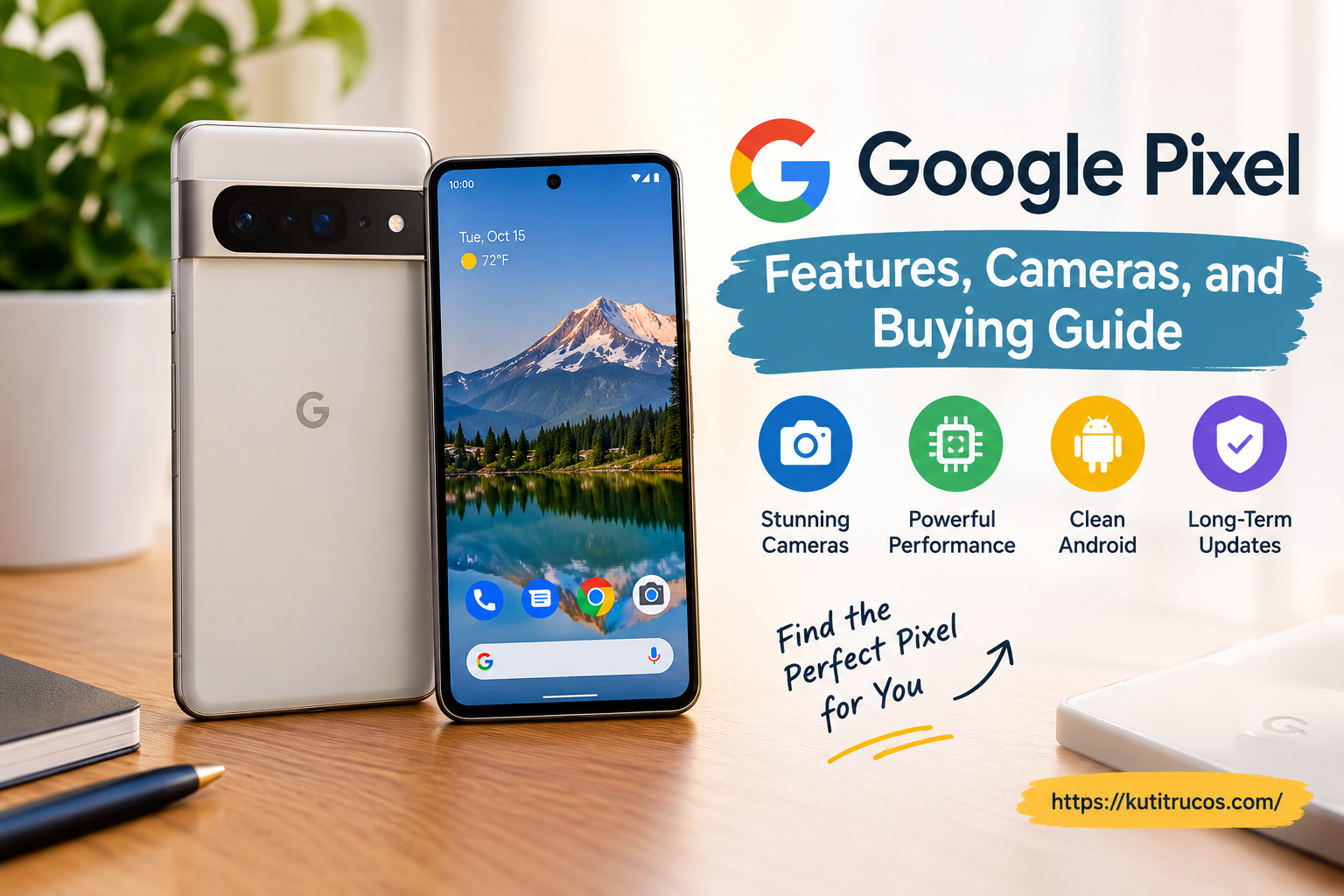
Smartphones have become an essential part of everyday life, helping people communicate, work, capture memories, manage schedules, and enjoy entertainment. Among the many options available, Google Pixel phones have earned attention for their clean Android experience, advanced camera technology, and useful artificial intelligence features. Designed around Google’s software and services, these smartphones combine practical tools with hardware built for everyday performance.
Whether you are upgrading an older phone, exploring Android for the first time, or comparing premium smartphones, understanding the Google Pixel lineup can help you make a more informed decision. Different models offer different combinations of display quality, camera capabilities, battery performance, storage, and price.
This guide explores Google Pixel phones, their most useful features, camera technology, software experience, security benefits, and the factors to consider before choosing a model.
What Is Google Pixel?
Pixel phones run Android and integrate closely with Google services such as Google Photos, Gmail, Google Maps, Google Drive, and the Gemini AI assistant.
One of the main characteristics of Pixel devices is the relationship between hardware and software. Google develops the Android experience, designs custom Tensor processors for its phones, and builds computational photography tools that help users capture and edit images.
The Pixel range includes several product categories. Standard models are designed for people who want a capable everyday smartphone, while Pro models focus on more advanced cameras and premium hardware. The Pixel A series provides an alternative for shoppers who want many of the core Pixel benefits at a different price point. Foldable models offer a larger internal display for multitasking and entertainment.
The official Google Store is a useful starting point for exploring available Pixel devices, comparing specifications, and checking which products and configurations are offered in a particular market.
Exploring the Google Pixel Phone Range
Choosing a Pixel phone starts with understanding the differences between its main model families. The best option depends on how you use your device, which features matter most, and how much you intend to spend.
Standard Google Pixel Phones
Standard Pixel phones are designed for everyday users who want reliable performance without necessarily paying for every premium feature. They typically balance camera quality, display performance, software tools, and general usability.
These devices can suit students, professionals, families, and people who use their phones for messaging, browsing, photography, navigation, video calls, and social media. Their straightforward software experience also appeals to users who prefer a phone that is easy to learn and operate.
Before buying, check the exact model’s processor, display specifications, available storage, battery capacity, and supported features. Specifications can vary considerably between generations.
Google Pixel Pro Models
Pixel Pro phones target people who want more advanced hardware and photography options. Depending on the model, these devices may offer additional camera lenses, improved zoom capabilities, premium displays, and more sophisticated video tools.
A Pro model may be especially useful for mobile photographers, frequent travelers, content creators, and users who regularly capture distant subjects or work with detailed images.
However, the most expensive phone is not automatically the best choice for every buyer. If you mainly send messages, browse websites, and take occasional photographs, a standard Pixel may already meet your needs.
Google Pixel A Series
The Pixel A series is designed to make the Pixel experience accessible to shoppers who prefer a more budget-conscious option. These phones generally focus on delivering useful everyday performance and familiar Google software without including every feature found in premium models.
They can be worth considering if you want a capable camera, access to Android applications, and Google’s software experience while keeping spending under control.
Compare the current model’s specifications carefully. Features such as charging speed, camera hardware, display refresh rate, and processor performance may differ from the more expensive phones.
Google Pixel Foldable Phones
Foldable Pixel devices combine a conventional outer screen with a larger display that opens up for additional working space. This design can be useful for reading documents, managing multiple applications, viewing photos, and watching videos.
The larger screen can make some tasks more comfortable, but foldable phones also have different dimensions, weight, hinge mechanisms, and price considerations. Buyers should compare durability information, repair options, and the experience of using the device while folded and unfolded.
Google Pixel Camera Features
Camera quality is one of the most recognizable parts of the Pixel experience. Rather than depending entirely on camera hardware, Google combines sensors, image processing, and software to help produce detailed photographs in a variety of lighting conditions.
The precise camera setup varies by model, so it is important to review the specifications of the phone you are considering.
Computational Photography
Computational photography uses software to process image information and improve the final result. A phone can capture multiple frames and combine information to balance highlights, shadows, color, and detail.
This approach helps make smartphone photography accessible to people who do not have professional photography experience. Users can often capture attractive pictures with minimal manual adjustment.
Results still depend on factors such as lighting, movement, lens selection, and camera settings.
Night Sight and Low-Light Photography
Night photography features help produce brighter images while attempting to preserve useful details and control visual noise.
Google’s Night Sight technology is designed to help users photograph evening streets, indoor gatherings, city skylines, and other low-light scenes.
For better results, keep the phone steady, allow the camera to finish processing, and avoid unnecessary movement in the subject. A dedicated night mode can improve a picture, but it cannot always eliminate blur when people or objects are moving quickly.
Zoom and Telephoto Photography
Some Pixel models include dedicated telephoto cameras or advanced zoom processing. These capabilities allow users to photograph subjects that are farther away, such as performers at a venue, wildlife, architectural details, or distant landscapes.
Premium models generally provide more zoom flexibility than entry-level devices, although the exact capabilities vary by generation.
If zoom photography is important to you, compare optical and digital zoom capabilities, available camera lenses, and sample images taken at different distances. A large advertised zoom number does not necessarily mean every image will have the same level of detail.
AI-Powered Photo Editing
Google’s photo tools can simplify common editing tasks. Depending on the device and available software, features may help remove distractions, improve composition, combine suitable group-photo expressions, or make selected changes to an image.
These tools are useful for everyday photography because they reduce the need to learn complicated editing applications.
However, AI-assisted editing can alter the appearance of an image. For important documentary or professional photographs, keep the original file and review edits carefully before sharing the result.
Video Recording and Stabilization
Video capabilities matter to people who record family events, travel experiences, tutorials, product demonstrations, or social media content. Pixel phones combine camera hardware and software processing to support recording and, on eligible models, enhanced video features.
When comparing phones, review the available recording resolutions, frame rates, stabilization options, front-camera quality, and microphone performance. Creators who record frequently should also consider storage capacity and how easily large video files can be transferred or backed up.
Google Gemini and Artificial Intelligence
Artificial intelligence is increasingly integrated into the smartphone experience. Google Pixel devices bring together Android features and Google’s AI services to support tasks such as finding information, drafting text, brainstorming ideas, and working with content.
Google describes Gemini as an assistant that can help users with everyday tasks. Depending on the device, language, account, and feature availability, users may be able to interact with Gemini through text, voice, images, or screen context.
Everyday Assistance
An AI assistant can be useful when you need help organizing an idea, summarizing information, preparing a message, or understanding a topic. It can also help you explore options when planning a trip or working on a personal project.
These capabilities can reduce the time spent switching between applications. However, AI-generated information can contain mistakes, so verify important details before relying on an answer for financial, medical, legal, or professional decisions.
Circle to Search
Circle to Search lets supported devices search for information about visible content without requiring users to leave their current application. Depending on the implementation, you can circle, highlight, or tap an item on the screen to begin a search.
For example, it may help identify an item of clothing in a video, explore a landmark in a photograph, or learn more about a product shown on a webpage.
Availability and supported interactions depend on the device, software version, and region.
AI-Assisted Photography
AI tools can also help users compose, capture, and edit photographs. Some Pixel features provide guidance for taking pictures, while others assist with adjustments after the photo has been taken.
These capabilities can be valuable for casual photographers who want better results without spending time learning advanced camera controls. Still, it is worth understanding what each tool changes and whether it is available on the model you intend to buy.
Display, Performance, and Everyday Use
A smartphone’s processor and display influence how it feels during everyday use. Pixel devices combine custom Google Tensor processors, Android software, and displays selected for their respective product tiers.
Display Quality
The display affects everything from reading messages to watching films and editing photographs. Important factors include screen size, resolution, brightness, refresh rate, and outdoor visibility.
A larger display may be more comfortable for videos and documents, while a smaller device may be easier to hold and carry. Higher refresh rates can make scrolling and supported animations feel smoother.
Think about how you normally use your phone. If you spend many hours reading, gaming, or watching content, display quality may deserve more attention than features you rarely use.
Processor and Daily Performance
A phone’s processor helps manage applications, multitasking, photography processing, and AI functions. Google Tensor chips are developed for Pixel devices, with an emphasis on integrating Google’s software and AI capabilities.
For everyday users, practical performance matters more than a processor name alone. Consider how quickly applications open, whether the phone handles your preferred games, and how smoothly it switches between tasks.
If you regularly edit videos, play demanding games, or use resource-intensive applications, compare independent performance tests and thermal behavior for the specific models you are considering.
Storage Options
Storage determines how many applications, photographs, videos, and offline files you can keep on your phone. People who take frequent high-resolution photographs or record long videos may need more capacity than those who primarily use cloud-based services.
Before choosing a configuration, estimate how much space you currently use and whether you expect that amount to grow. Also check whether the particular model supports expandable storage rather than assuming that all smartphones offer a memory-card slot.
Battery Life and Charging
Battery life is an important consideration because even a powerful smartphone becomes inconvenient if it cannot last through your normal day.
Actual battery performance depends on screen brightness, mobile signal strength, gaming, video recording, background applications, temperature, and other usage patterns. Two people using the same phone may experience different results.
What Influences Battery Life?
Several factors can affect how long a Pixel lasts between charges:
- Screen brightness and how long the display stays active.
- Mobile data use and the strength of the cellular signal.
- Navigation, gaming, video recording, and other demanding tasks.
- Background synchronization and frequently active applications.
- Battery condition and the phone’s age.
Adaptive battery features may help manage power usage by learning which applications you use regularly. Their impact varies according to individual habits.
Charging Considerations
Review the charging specifications for the exact model before purchasing. Wired charging speeds, wireless charging support, compatible accessories, and charging times can differ between devices.
Use compatible charging equipment and follow Google’s guidance for your phone. If you travel frequently, you may also want to consider the availability of replacement cables, adapters, and portable power banks.
Android Software and Updates
Pixel phones offer an Android experience closely connected to Google’s applications and services. Many users appreciate the straightforward interface, built-in Google tools, and integration across compatible devices.
Software support is another important reason to compare models carefully. Google provides update commitments for eligible Pixel devices, but the length of support depends on the model and its original release or availability terms.
Before buying, confirm the official update policy for the exact phone. Longer support can help extend a device’s useful life, provide security improvements, and reduce the pressure to replace it after only a short period.
Pixel Feature Drops
Google periodically introduces feature updates that can add capabilities or improve existing functions on eligible devices. These updates may include camera improvements, AI tools, interface changes, and other enhancements.
Not every feature is available on every Pixel phone. Hardware requirements, software versions, language support, subscriptions, and regional restrictions can affect availability.
For this reason, compare the features currently offered on the device instead of assuming that every Pixel receives every new capability.
Security and Privacy Features
A smartphone often contains private messages, photographs, work documents, financial applications, and account credentials. Security should therefore be part of the buying decision.
Pixel phones combine Android security features with Google hardware and software protections. Eligible devices may include dedicated security hardware and regular security updates designed to help address vulnerabilities.
Users also play an important role in protecting their information. Practical steps include:
- Set a strong screen lock and use available biometric security options.
- Install Android and application updates promptly.
- Download applications from trusted sources.
- Review application permissions periodically.
- Enable appropriate account recovery and two-step verification options.
- Avoid opening suspicious links or sharing verification codes.
- Use the phone’s privacy settings to manage access to sensitive information.
AI features can sometimes process personal context to provide assistance. Review the relevant settings and privacy information so you understand what information a feature can access and how it works.
Connecting Pixel With Other Devices
Pixel phones can work alongside a range of compatible Google products and third-party accessories. Depending on the device and region, the wider ecosystem may include Pixel Buds, Pixel Watch, tablets, computers, televisions, and smart-home products.
Pixel Buds and Audio
Compatible wireless earbuds can make listening to music, attending calls, and enjoying videos more convenient. When selecting earbuds, compare comfort, battery life, microphone performance, noise cancellation, and compatibility with your other devices.
Pixel Watch and Wearables
A compatible smartwatch can display notifications, track selected activities, and provide quick access to certain phone functions. The value of a wearable depends on your routine, preferred applications, and the features supported by your phone and watch.
Photos, Files, and Cloud Services
Google Photos and other cloud services can help organize and access files across supported devices. Cloud storage may require an account, internet access, or a paid subscription when free limits are exceeded.
Keep in mind that synchronization is not the same as an independent backup. For important files, review backup settings and make sure you understand which items are stored locally and which are uploaded to your account.
How to Choose the Right Google Pixel
The right phone depends on your priorities rather than a single specification. A practical buying process begins by identifying the features you will use most often.
1. Set Your Budget
Decide how much you are comfortable spending before comparing models. Remember to include the cost of a protective case, screen protection, charging accessories, and any extended coverage you may want.
A previous-generation model may provide good value if it meets your needs and still receives appropriate software support. Compare its total cost with the price of a newer device before making a decision.
2. Decide How Important the Camera Is
If you mostly take casual pictures, a standard or A-series model may be sufficient. If you regularly photograph distant subjects, record videos, or need more creative control, examine the camera features of Pro models.
Look at sample photographs in daylight, indoor lighting, and nighttime settings. These comparisons can reveal differences that a list of specifications cannot fully explain.
3. Check Battery and Charging Needs
Frequent travelers, commuters, and people who record long videos may place a high priority on battery endurance. Review independent battery tests where available, and remember that real-world results vary.
Also consider whether the phone’s charging options suit your daily routine.
4. Choose the Right Size
Visit a retailer if possible and hold the device before buying. Consider one-handed use, pocket comfort, weight, and how easily you can reach the controls.
Foldable devices may offer more screen space, but their size and weight differ from those of conventional phones.
5. Review Storage and Update Support
Choose enough storage for your expected photographs, videos, applications, and offline files. If you plan to keep your phone for several years, verify the official software and security update commitment for that model.
6. Confirm Regional Availability
Features, model configurations, prices, promotions, repair options, and warranty terms can differ between countries. Check which versions are officially sold in your location and whether the device supports your mobile carrier’s network bands.
This is especially important when buying an imported phone, because warranty service and some region-specific features may be limited.
Tips for Getting Better Value
Buying a smartphone is not just about choosing a model. Timing, configuration, and after-sales support can also influence the overall value.
Compare the total price. Look beyond the advertised handset price and account for taxes, shipping, accessories, and possible service costs.
Check official promotions. Trade-in offers, seasonal discounts, and eligible store credits may reduce the effective price. Confirm the terms and expiry dates before relying on an advertised offer.
Choose storage carefully. Buying too little storage can become inconvenient, while paying for capacity you will never use may be unnecessary.
Read the warranty terms. Confirm what damage is covered, where repairs can be performed, and whether the seller is an authorized retailer.
Avoid unverified sellers. Be cautious of prices that seem unusually low, unclear return policies, and devices described as new without sufficient documentation.
Protect the phone from the start. A suitable case and screen protector can help reduce accidental damage, although they do not guarantee that a device will remain undamaged.
Frequently Asked Questions
Is Google Pixel a good smartphone?
Google Pixel phones can be a strong option for people who value Google’s Android experience, computational photography, integrated AI tools, and software support. Whether a particular model is right for you depends on its price, specifications, availability, and how you use your phone.
Which Google Pixel is best for photography?
The best choice depends on your photography needs. Pro models generally offer more advanced camera hardware and zoom options, while standard and A-series models may be suitable for everyday photography. Compare the exact models and their real-world camera samples before deciding.
Do Google Pixel phones receive Android updates?
Eligible Pixel devices receive Android and security updates according to Google’s published support policy. The duration varies by model, so check the official commitment for the specific phone you plan to purchase.
Can Google Pixel phones use Gemini?
Gemini is available on supported Pixel devices, subject to the applicable software, account, language, region, and feature requirements. Some capabilities may require an internet connection or an eligible subscription.
Are Google Pixel phones suitable for everyday work?
Yes, a suitable Pixel model can support email, video calls, calendars, document editing, web browsing, navigation, and many other everyday tasks. Users with specialized professional needs should check application compatibility, performance requirements, and available storage.
Where can I compare Google Pixel phones?
You can review the current lineup, explore specifications, and check regional availability through Google’s official online store. Compare model features and purchase terms before selecting a device.
Final Thoughts
Google Pixel phones combine Android software, Google’s services, camera technology, and AI-assisted tools in a range of devices designed for different needs. From standard smartphones to premium Pro models and foldable options, the lineup offers several ways to balance price, performance, photography, and everyday convenience.
The smartest purchase is not necessarily the newest or most expensive model. It is the phone that fits your budget, feels comfortable to use, offers the camera and battery performance you need, and provides suitable software support for the years ahead.
By comparing specifications, checking regional availability, reviewing update commitments, and considering your daily habits, you can make a more confident decision when choosing a Google Pixel phone.

