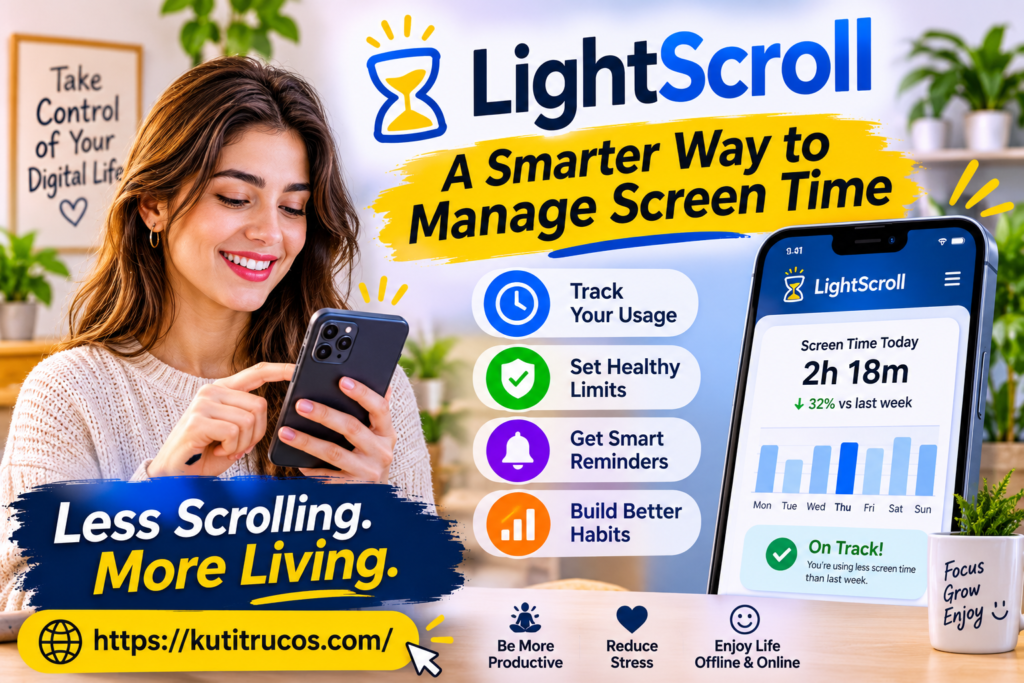
Smartphones, social media, and digital entertainment have become essential parts of everyday life in the United States. People use their devices to communicate, work, study, shop, watch videos, and stay informed. However, spending too much time on distracting apps and websites can make it harder to concentrate on important responsibilities. Many people start scrolling for a few minutes and suddenly realize that an hour has passed.
This growing challenge has increased interest in screen-time management tools. Instead of relying entirely on self-discipline, users can establish digital boundaries with applications designed to help them manage their habits. LightScroll is one such tool. It helps users control access to selected apps and websites through time limits, scheduled restrictions, intentional pauses, and accountability features.
LightScroll takes a different approach from a simple screen-time counter. Rather than only showing how much time someone spends on a device, it allows users to decide in advance how they want to use their attention. Its features are designed to interrupt automatic scrolling and encourage more intentional decisions.
Whether someone wants to reduce social media use, improve concentration while studying, or create healthier evening routines, understanding how LightScroll works can help determine whether it fits their digital lifestyle.
What Is LightScroll?
LightScroll is a screen-time management application designed to help people spend less time on distracting apps and websites. It allows users to create personalized rules, called Controls, that determine when selected digital activities are available and how much access is permitted.
The application focuses on helping users make deliberate decisions before opening distracting content. For example, someone who regularly spends too much time on social media can create a Control that limits access during working hours. Another user might schedule restrictions for the evening to encourage less phone use before bedtime.
LightScroll also introduces small pauses before access. These pauses, known as Frictions, can involve waiting, breathing exercises, or simple activities. The purpose is to interrupt automatic behavior and give users an opportunity to reconsider whether they really want to open an app or website.
The application includes additional features such as Overrides, accountability partners, streaks, experience points, and shared challenges. These tools provide different ways to stay motivated and follow personal screen-time goals.
LightScroll is available for Apple’s ecosystem, including supported iPhone, iPad, and Mac experiences. The exact features and compatibility requirements may depend on the device and operating-system version.
Official website: https://www.lightscroll.app/
Why Screen-Time Management Matters
Digital technology provides many benefits, but constant access to entertainment and social platforms can create challenges.
Many applications are designed to encourage repeated engagement. Notifications, recommendations, short videos, and endless feeds can make it easy to continue using a platform longer than intended.
For example, a student may open a social media application during a short study break. After watching several videos, the break becomes much longer than planned. Similarly, an employee may check a notification while working and become distracted by unrelated content.
These situations are common because digital distractions are often available just a few taps away.
Managing screen time can help people:
- Protect time for important responsibilities.
- Reduce unnecessary interruptions.
- Create more structured study sessions.
- Establish boundaries around entertainment.
- Spend more time on offline activities.
- Become more aware of digital habits.
- Make intentional decisions about app usage.
Screen-time management does not mean avoiding technology completely. Digital tools are useful for communication, education, professional activities, and entertainment. The goal is to create a healthier balance between online and offline responsibilities.
LightScroll supports this idea by allowing users to establish rules that match their daily routines.
How LightScroll Works
LightScroll uses a system of personalized Controls, Frictions, Overrides, and progress features. Each component serves a different purpose in helping users manage their digital habits.
1. Choose Apps and Websites
The first step is identifying the apps and websites that create the most distractions.
Some people spend excessive time on social media platforms, while others struggle with video streaming, gaming, or frequently visited websites. The sources of distraction can vary depending on personal interests and daily responsibilities.
LightScroll allows users to select the digital targets they want to manage. They can organize these targets under Controls and apply rules based on their needs.
For example, someone preparing for an important examination might create a Control for entertainment apps during scheduled study hours. A professional working remotely could establish restrictions around distracting websites during the workday.
Choosing specific targets makes the process more practical than attempting to restrict every application on a device.
2. Create Personalized Time Limits
Different activities require different amounts of screen time. Checking messages may take only a few minutes, while watching educational videos could require a longer session.
LightScroll allows users to configure limits and access schedules according to their preferences.
Depending on the selected Control, users can establish daily allowances, shorter sessions, or scheduled boundaries. These settings help create a predictable routine for digital activities.
For instance, a user might allow limited social media access during lunch but restrict it during important work hours. Someone else might create evening boundaries to reduce late-night scrolling.
The important advantage is flexibility. Users can decide which activities need stricter limits and which ones require more relaxed access.
3. Add Friction Before Opening Apps
One of LightScroll’s distinctive features is Friction.
Friction introduces an intentional pause before a user receives an allowed session. Instead of opening a distracting application immediately, the person may need to complete a short waiting period, breathing exercise, or mini-game.
This small interruption can help break automatic scrolling habits.
Consider someone who repeatedly opens a social media app without thinking. A deliberate pause creates an opportunity to ask a simple question: Is opening this app necessary right now?
The person can then decide whether to continue or return to the task they were doing.
Friction is not intended to make technology difficult to use. Its purpose is to create a moment of awareness between an impulse and an action.
4. Use Overrides When Necessary
Daily routines are not always predictable. A person may reach a screen-time limit but still need access for a legitimate reason.
LightScroll includes Override options that users can configure in advance. Depending on the selected settings, continuing beyond a limit may require waiting or requesting a six-digit code from an accountability partner.
Users can also select stricter configurations that remove the option to override a limit.
This approach gives people control over how difficult it should be to bypass their own restrictions. Someone who prefers flexibility may choose a waiting period, while another person may prefer stronger boundaries.
Overrides are designed to make decisions more intentional rather than treating every limit as an absolute rule.
5. Track Progress With Streaks and XP
Building a new habit requires consistency. LightScroll includes progress features that help users recognize their efforts.
Streaks allow users to track periods of following their configured Controls. Experience points, commonly called XP, provide another way to represent progress.
These features can make digital habit management more engaging. Instead of focusing only on restrictions, users can pay attention to the commitments they successfully maintain.
LightScroll also includes progress-related features such as Daily Scores and social leaderboards. Availability and functionality can depend on the current application version and subscription level.
LightScroll Features Worth Understanding
LightScroll combines several features into one screen-time management experience. Understanding them can help users decide whether the application matches their needs.
Flexible Controls
Controls are the foundation of LightScroll. They allow users to group selected apps or websites and define how access should work.
A Control can include schedules, time allowances, Frictions, and Override settings. Users can create boundaries around particular activities instead of applying identical restrictions everywhere.
This flexibility is useful because not every digital activity creates the same problem.
Scheduled Boundaries
Scheduled restrictions help users establish consistent routines.
For example, someone may want to limit entertainment applications during working hours or create a distraction-free period before sleeping.
A schedule reduces the need to make the same decision repeatedly. Once configured, the Control can apply according to the selected timing.
Custom Frictions
LightScroll offers different ways to create a pause before access.
Depending on the available settings, users may select waiting periods, breathing exercises, mini-games, or other friction options.
These features are intended to make the decision to continue using an app more deliberate.
Accountability Partners
Some people find it easier to maintain a commitment when another person supports their goals.
LightScroll allows users to connect with friends and choose an accountability partner. If a Control uses a partner-code Override, the partner can provide a six-digit code when the user needs to continue beyond a restriction.
This feature can be useful for people who prefer shared accountability.
However, accountability should always be voluntary. Users should choose someone they trust and agree on how the arrangement will work.
Hardcore Mode
For users who want stronger restrictions, LightScroll Plus includes Hardcore Mode.
This feature is designed to make impulsive changes to Controls more difficult. Depending on the selected configuration, it can add protection against editing or removing restrictions when temptation occurs.
It may appeal to people who frequently disable their own limits during moments of distraction.
Social Challenges
LightScroll also supports social features that allow users to connect, share selected Control challenges, and compare progress.
Challenges can make personal goals feel more engaging, particularly when friends are working toward similar habits.
These features are optional. People who prefer managing their screen time privately can focus on their individual Controls.
LightScroll Basic vs. Plus
LightScroll offers a free Basic option and a paid Plus subscription. The two plans provide different levels of customization and restriction.
| Feature | Basic | Plus |
| Friends and social connections | Included | Included |
| Number of Controls | Up to two | Unlimited |
| Timed goals | Not included | Included |
| Custom Frictions | Standard options | Custom options |
| Hardcore Mode | Not included | Included |
| Zero-time allowance | Not included | Included |
| Disable Overrides | Not included | Included |
The Basic plan can be a useful starting point for people who want to test the application and manage a small number of distractions.
Plus is designed for users who need more Controls, additional customization, and stronger restrictions.
Pricing can vary by region and subscription period. Users should check the official pricing page or the in-app purchase screen for current prices before subscribing.
Benefits of Using LightScroll
LightScroll may offer several practical benefits for people who want to become more intentional about their device usage.
Better Awareness of Digital Habits
Many people underestimate how often they open distracting applications. Creating specific Controls encourages users to identify the activities that consume unnecessary time.
This awareness is an important first step toward improving digital habits.
More Structured Work and Study Sessions
Frequent interruptions can make it harder to stay focused on demanding tasks.
Scheduled restrictions can help students and professionals create periods when selected distractions are less accessible.
For example, a student can establish a study schedule that limits entertainment applications during important preparation hours.
More Intentional Social Media Use
Social media platforms provide communication, entertainment, and information, but unlimited scrolling can consume time quickly.
LightScroll allows users to establish boundaries around selected platforms and introduce a pause before accessing them.
This can encourage more purposeful use instead of opening applications automatically.
Support for Personal Goals
Some users prefer managing habits independently, while others benefit from encouragement.
Accountability partners, shared challenges, and progress features provide additional ways to stay motivated.
Flexible Digital Boundaries
A complete ban on technology is not practical for most people. Work, education, communication, and daily activities often depend on digital devices.
LightScroll offers configurable boundaries rather than requiring users to stop using technology altogether.
Who Can Benefit From LightScroll?
LightScroll may be useful for different groups of people who want to manage digital distractions.
Students
Students often use smartphones for educational resources, communication, and entertainment.
During examination preparation, frequent notifications and social media browsing can interrupt concentration. Creating scheduled restrictions may help students protect study time.
LightScroll can support a more structured routine, although it should be used alongside effective study habits rather than as a replacement for them.
Remote Workers
Remote work provides flexibility, but it can also introduce distractions.
Employees working from home may switch between professional tasks and entertainment websites throughout the day.
A customized Control can help establish boundaries around distracting activities during working hours.
Professionals and Entrepreneurs
Business owners and professionals often manage emails, social platforms, communication tools, and research activities.
Some applications are essential for work, while others may create unnecessary interruptions.
LightScroll can help users identify and manage selected distractions without restricting every digital activity.
People Who Want Less Scrolling
Some people simply want to spend less time browsing social media or watching short videos.
They may not have a specific productivity goal but want more time for hobbies, exercise, family activities, or relaxation.
LightScroll’s time limits and Frictions may help them become more aware of their habits.
Families and Friends
Friends and family members can support one another through voluntary accountability features and shared challenges.
For example, two friends might create similar screen-time goals and encourage each other to follow their routines.
These arrangements work best when expectations are clear and everyone participates willingly.
LightScroll for Students and Digital Wellness
Digital wellness is becoming an important topic in education and everyday life. Students use technology for research, online classes, assignments, communication, and entertainment.
The challenge is not simply the amount of time spent on a device. It is also how that time is distributed.
A student might spend several hours using a laptop for schoolwork while also switching frequently to unrelated websites. Another student may use a phone for educational videos but become distracted by recommendations and notifications.
LightScroll can help users create boundaries around selected activities. For example, a student could schedule restrictions for entertainment websites during homework sessions.
However, effective studying requires more than blocking distractions. Students also need realistic schedules, sufficient breaks, sleep, and suitable learning environments.
Screen-time tools are most useful when they support a broader routine rather than becoming another source of pressure.
Is LightScroll Easy to Use?
LightScroll is built around a relatively straightforward idea: choose the distractions, establish rules, and follow the boundaries.
Users begin by selecting apps or websites they want to manage. They then configure Controls according to their preferred schedules and limits.
Additional settings can introduce Frictions, Overrides, and accountability options.
The exact setup process depends on the device and permissions required. On Apple devices, LightScroll may request access to Screen Time features. Mac website Controls may require Automation permission for supported browsers.
Users should review permission requests carefully and understand what each permission allows before enabling it.
The official help center provides guidance about Controls, Frictions, Overrides, device compatibility, subscriptions, and privacy.
Privacy and Device Permissions
Privacy is an important consideration when choosing any application that interacts with device usage.
LightScroll’s privacy documentation explains that certain information, including raw Screen Time data, browser history, Control signatures, and detailed activity history, is processed locally rather than sent to its servers as ordinary browsing history.
On Mac, website Controls use Automation access to read and redirect matching browser tabs. The privacy policy states that observed tab URLs are processed locally.
The application may also process limited information for account authentication, social features, subscription status, support, and service operation.
Users should read the current privacy policy to understand what information is collected, how it is used, and which permissions are required.
It is also important to remember that device permissions affect functionality. If a user disables a permission required for a feature, some Controls may stop working as expected.
For complete information, visit the official privacy policy at https://www.lightscroll.app/privacy.
Limitations to Consider Before Using LightScroll
Although LightScroll provides useful tools for managing digital habits, it may not be the right solution for everyone.
First, users need to configure their Controls thoughtfully. A restriction that is too strict may interfere with legitimate activities, while a very relaxed setting may not create meaningful change.
Second, the application depends on device permissions and supported operating-system features. Users should check compatibility before installing it.
Third, some advanced features require a Plus subscription. People who need unlimited Controls or additional customization should review the subscription details before purchasing.
Fourth, social accountability is optional and requires trust. Users should avoid sharing personal information or access codes with people they do not trust.
Finally, no screen-time application can guarantee improved productivity or healthier habits. Results depend on personal goals, consistency, and how the tool is used.
LightScroll should be viewed as a digital habit-management tool, not a medical or mental-health treatment.
How to Get Started With LightScroll
People interested in trying LightScroll can follow a simple process.
Step 1: Visit the Official Website
Start by visiting the official LightScroll website to review its features, supported devices, pricing, and download options.
Step 2: Check Device Compatibility
Confirm that the application supports your device and operating-system version. Review the required permissions before proceeding.
Step 3: Identify Your Main Distractions
Think about the apps and websites that consume more time than intended. Start with the activities that create the biggest interruptions.
Step 4: Create Your First Control
Select the relevant apps or websites and configure a realistic schedule or time allowance.
Step 5: Choose Your Friction Settings
Decide whether a short wait, breathing exercise, or another available pause would help you avoid automatic scrolling.
Step 6: Track Your Progress
Use the available progress features to review your consistency. Adjust your settings if they are too strict or too relaxed.
Starting with a small number of realistic goals can make the experience easier to maintain.
Frequently Asked Questions About LightScroll
1. What is LightScroll used for?
LightScroll is a screen-time management application that helps users limit access to distracting apps and websites. It provides Controls, schedules, Frictions, Overrides, accountability features, and progress tracking.
2. Is LightScroll free?
Yes. LightScroll offers a free Basic plan with up to two ongoing Controls. A paid Plus subscription provides additional features, including unlimited Controls and advanced customization.
3. Does LightScroll work on Mac?
Yes. LightScroll supports Mac experiences, including website Controls for supported browsers. Some functionality requires macOS Automation permission.
4. Can LightScroll help reduce social media use?
It can help users establish limits around selected social media applications and websites. Frictions also introduce a pause before access, which may encourage more intentional decisions.
5. What are Controls in LightScroll?
Controls are personalized rules that determine how selected apps, websites, or categories can be accessed. They can include schedules, time limits, Frictions, and Override settings.
6. What is Friction in LightScroll?
Friction is an intentional pause before an allowed session begins. Depending on the selected option, it may involve waiting, a breathing exercise, or a mini-game.
7. What is an Override?
An Override is a configured way to continue using a controlled app or website after reaching a limit. Options can include waiting or requesting a six-digit code from an accountability partner.
8. Does LightScroll offer accountability features?
Yes. Users can connect with friends, participate in shared challenges, and select an accountability partner. These features are optional.
9. Does LightScroll guarantee better productivity?
No application can guarantee improved productivity. LightScroll provides tools for managing digital distractions, but users must establish realistic goals and follow their chosen routines.
Conclusion
Managing screen time has become an important part of maintaining a balanced digital lifestyle. Smartphones and online platforms offer valuable services, but uncontrolled scrolling can take time away from work, education, personal interests, and everyday responsibilities.
LightScroll provides a practical approach to this challenge through personalized Controls, scheduled limits, Frictions, Overrides, accountability partners, and progress tracking. Its features are designed to help users pause before accessing distractions and make more intentional decisions about their time.
The free Basic plan gives users an opportunity to begin with a small number of restrictions, while Plus offers additional customization for people who need stronger boundaries.
LightScroll is not a replacement for personal discipline, and it cannot guarantee specific results. However, it can provide useful structure for people who want to spend less time on distracting apps and websites.
For students, professionals, remote workers, and anyone interested in developing healthier digital habits, LightScroll is worth exploring as one possible tool for taking greater control of screen time.